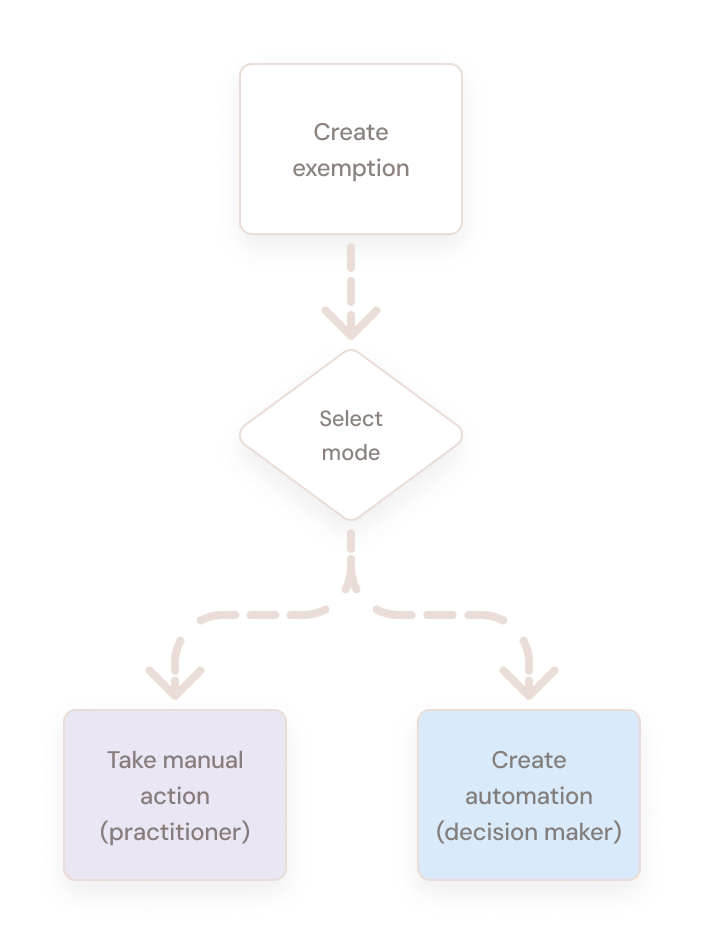
Two features were built by two different teams using different concepts.
I deconstructed both solutions into their basic elements and reframed the concept around user intent.
One consistent model replaced inconsistent flows. Each persona gained a clear entry point, and the adopted direction is now in development.
The product
Microsoft Defender for Cloud
Microsoft Defender for Cloud is Microsoft's cloud-native application protection platform (CNAPP), designed to help organizations secure Azure, AWS, and Google Cloud environments from development through runtime. Its core offerings include Cloud Security Posture Management (CSPM), Cloud Workload Protection (CWP), DevOps security, and AI workload protection, all delivered through a unified security experience. It is one of Microsoft's fastest-growing businesses, serving more than 1.5 million security customers across the broader Microsoft Security portfolio.
Context
20 products, one portal
Defender for Cloud was migrated into a new portal alongside ~20 other security products and modules, each one built bottom-up using different concepts and interaction models. One of the main challenges was creating consistency and alignment across the different features.
As UX lead for the new portal's recommendations platform, I was constantly looking for ways to reduce the system's UX complexity, improve its consistency and reduce redundancy — by making sure that similar problems are solved using similar UX solutions.
Task
The brief I was given
I was asked to redesign two features being migrated to the new portal, owned by two separate product teams: recommendation mobilization and exemptions.
The goal was to unify these distinct paths under a single cohesive framework that empowers enterprise operators to mitigate exposure risks efficiently and without friction.
Before - How the features worked
Mobilization — assigning work to the people who can fix it
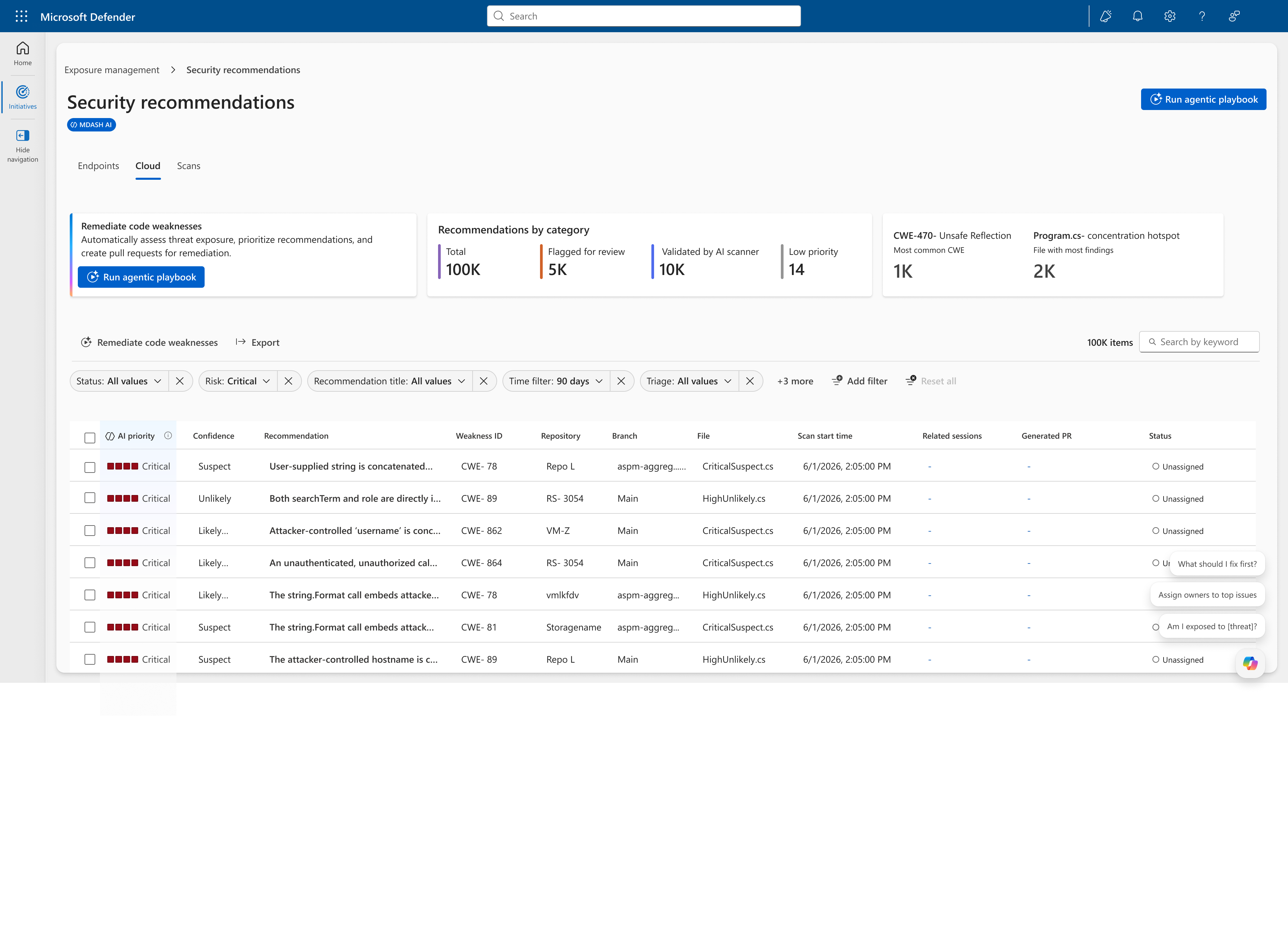
Security teams improve their posture by implementing security recommendations. Triage produces a set of recommendations prioritized by potential risk. Once a recommendation is prioritized for remediation, the central security team identifies the most relevant asset owner and assigns them the task of remediating it — with a due date. This is mobilization.
Triggered from the recommendations view — the mobilization process consists of assigning a recommendation to a specified owner and setting a due date for remediation.
Exemptions — flagging what isn't a real threat
When a recommendation is a false positive, or is already mitigated some other way and doesn't pose a real threat, the team exempts it and flags it as irrelevant. This requires a reason and an expiry date.
The exemption creation process requires the user to provide a reason or justification for exempting the recommendation and an optional exemption expiry.
The first insight
Two features, one job
Though these were two completely separate features, built by different teams, I realized there was a real opportunity for unification and alignment: this was fundamentally the same underlying flow. A user taking an action on a security recommendation following triage.
Nobody had framed it this way. The two features had separate briefs, separate roadmaps, and separate reviews — the only place they met was in the user's hands.
Manual vs. automated
The same split, handled two different ways
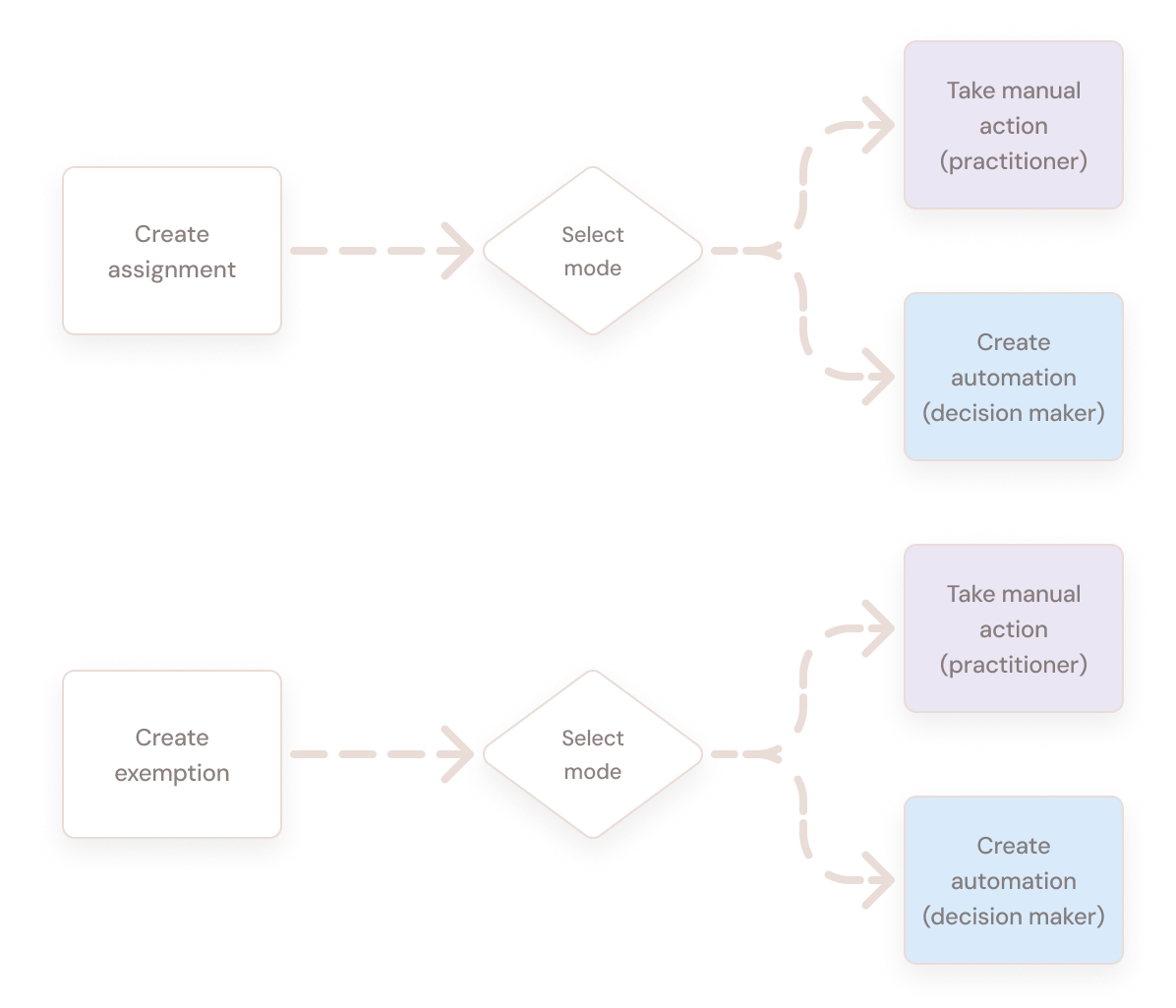
Most security organizations try to automate recommendation triage and actions to reduce daily work. Rather than working through hundreds of individual recommendations, they define automations: a set of trigger conditions and the resulting actions.
This was true for both assignment and exemption — but each feature treated automation completely differently:
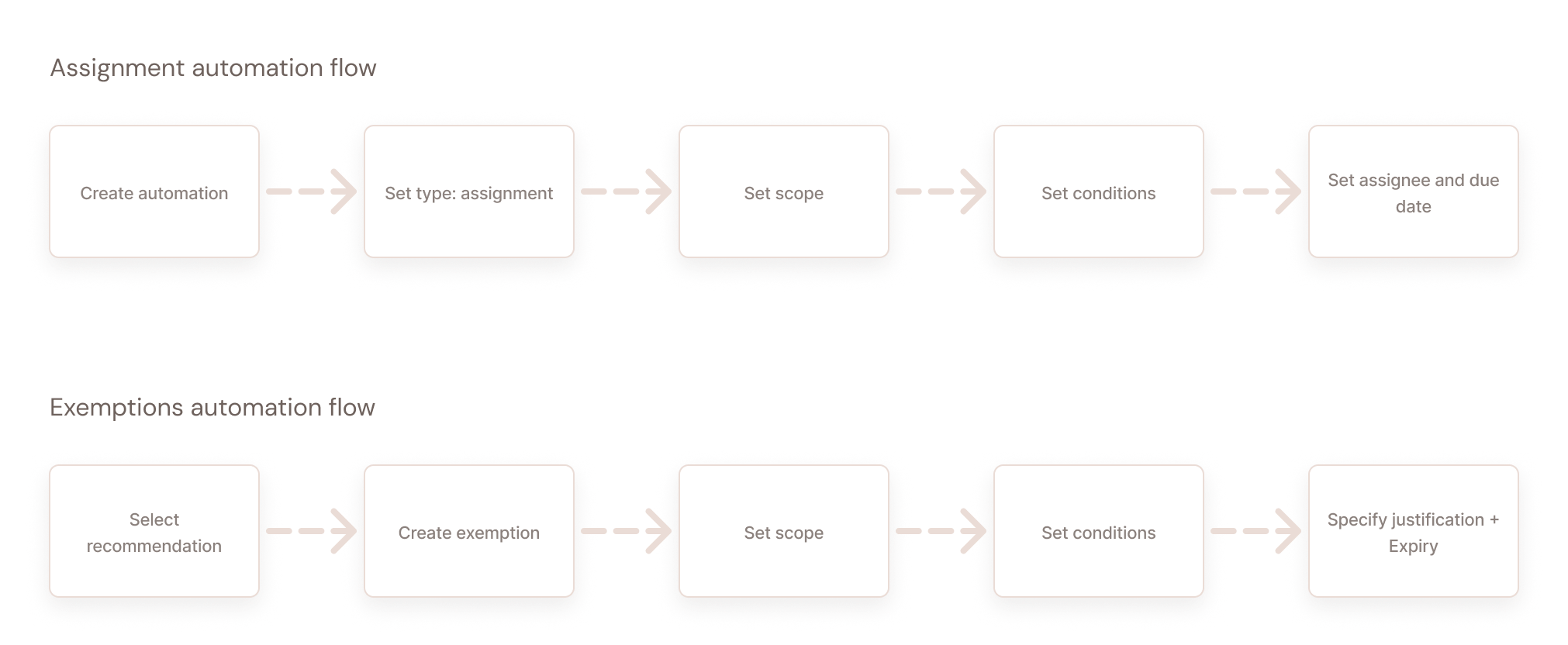
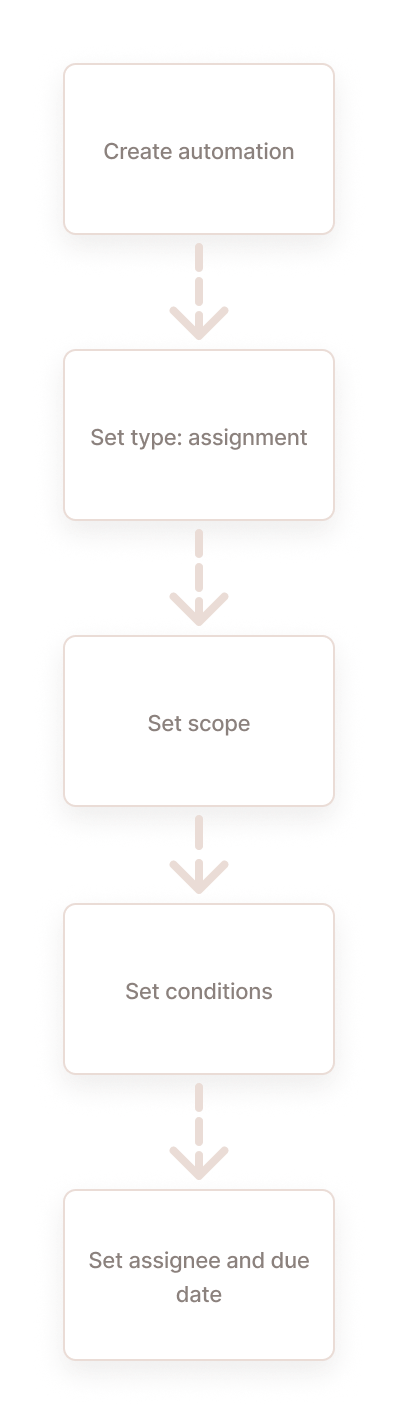
Assignments automation: automation was fully separated from the manual flow, configured from a dedicated automation section.
Exemptions automation: both manual and automation exemptions were coupled under the same flow, created directly from the recommendations view. Though the same dialog is used, this time a different scope and general condition is set — resulting in automation. The manual flow is regarded as a private case of automation.
Assignment automation flow
Exemptions automation flow
The second insight
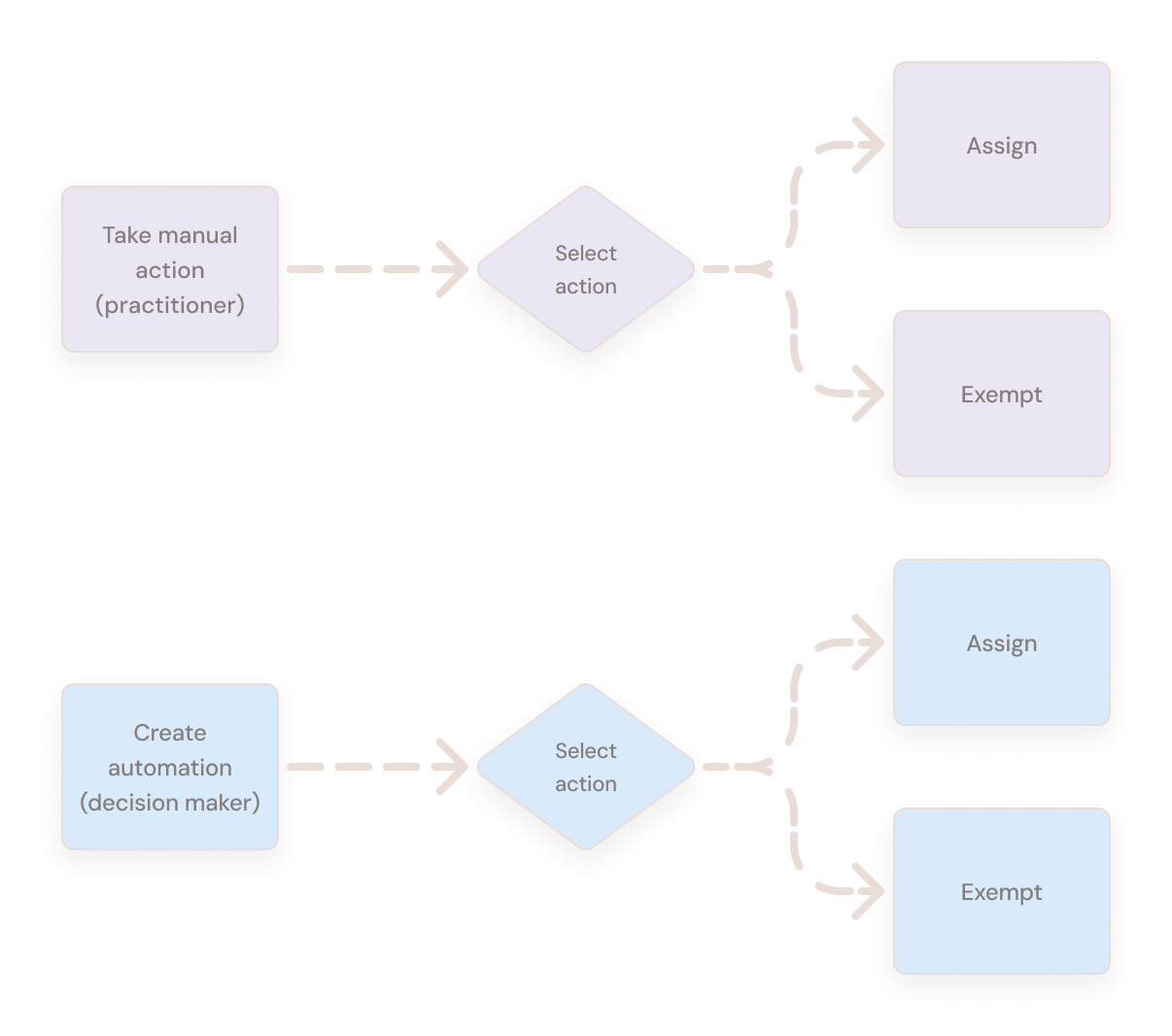
Every action has two modes
Because the two features approached this so differently, it was hard to see that each one actually consisted of the same two aspects: a manual aspect and an automation aspect
The evidence
Who actually does the work
To understand who these flows actually served, I mapped the personas involved and their jobs to be done. Two emerged, with distinctly different characteristics and goals:
Laurence
Chief Info Security Officer
Decision maker
Roles & responsibilities
In charge of organization security policy setup
High-level tracking of organizations’ policy and secure score
Main Jobs to Be Done
Set up automated response policy across the organization
Make sure operations are done at scale, including recommendations classification to true and false positives
Create mobilization and exemptions automations
Product modules & usage frequency
Mainly uses setup, configurations, policy and automation modules
Ideally sets up automation periodically without having to make frequent changes
Mona
Sr. Security Analyst
Practitioner
Roles & responsibilities
Triage security recommendations
Identify false positives and create exemptions
Assign security recommendations to relevant workload owners
Main Jobs to Be Done
Recommendations triage, including identifying and flagging false positives and manual recommendation assignment
Track governance compliance across the organization and exemptions over time
Product modules & usage frequency
Mainly uses the recommendations view
High usage frequency — in most cases daily or several times a week
The pivot
The split was on the wrong axis
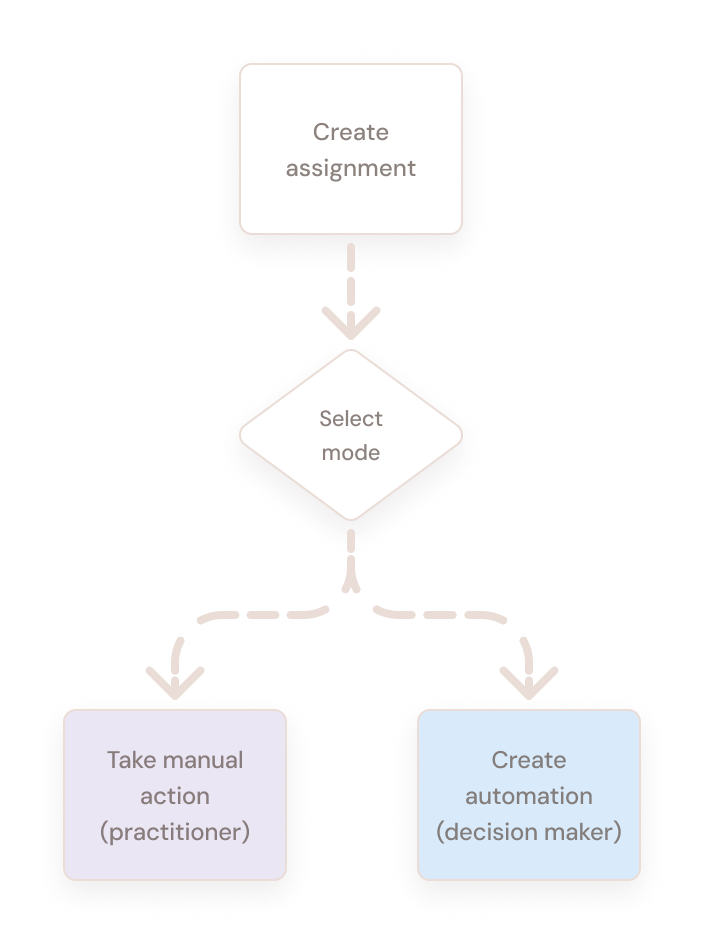
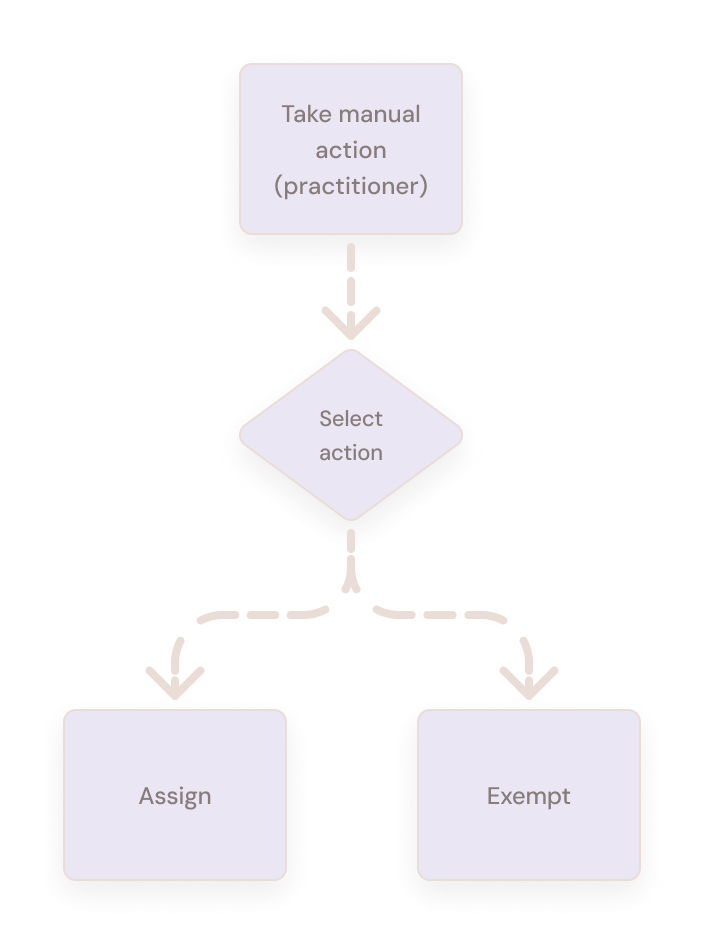
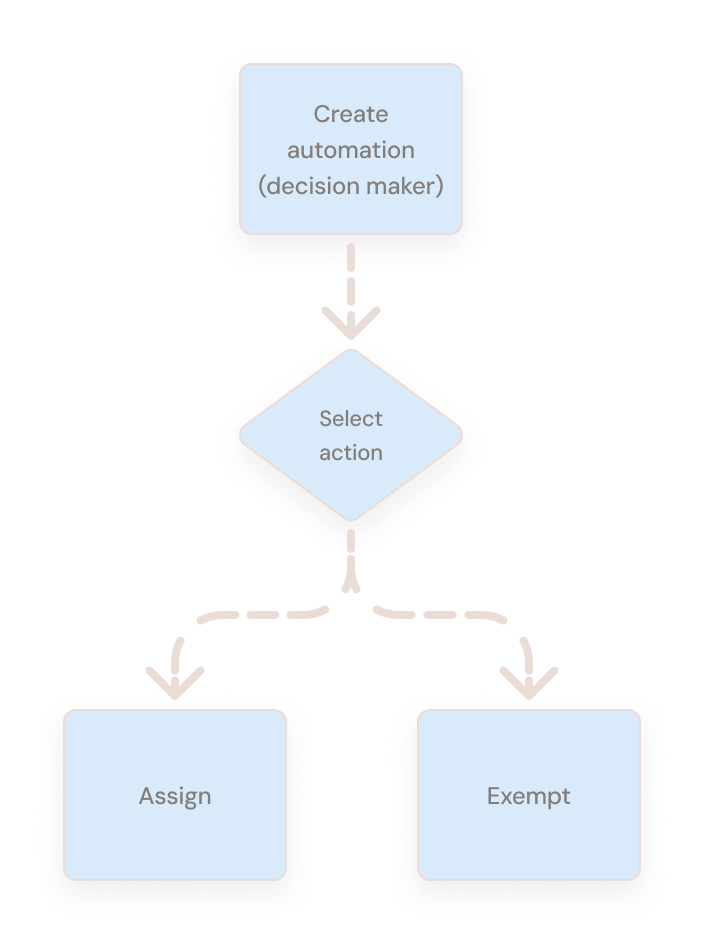
These personas mapped almost exactly onto the manual and automation flows — not onto assignment and exemption. Which meant the existing separation — assignment vs. exemption — was the wrong one. It was a map of how the organization was structured, not of how the work was done. Based on the personas' workflows, the correct distinction was actually manual vs. automation.
Before
Feature-centric
Each feature served both personas so neither got a coherent flow
After
Workflow-centric
Each mode serves one persona. One entry point — one mental model
Decision makerPractitionerBefore
Feature-centric
Each feature served both personas so neither got a coherent flow
After
Workflow-centric
Each mode serves one persona. One entry point — one mental model
Decision makerPractitioner
Process
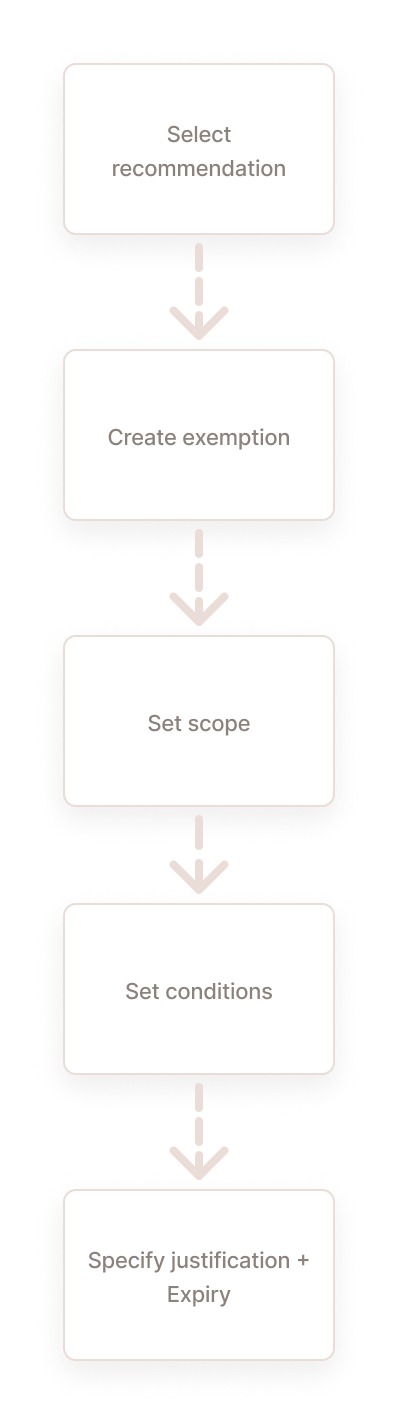
Deconstruct existing solutions into their basic elements
Based on this analysis I deconstructed both features into their basic elements.
The scope is already set based on the selected asset context
No applicable
The scope is already set based on the selected asset context
Applicable
The user has to define the applicable scope
Applicable
The user has to define the applicable scope
Conditions02
No applicable
The conditions are already set based on the recommendation context
No applicable
The conditions are already set based on the recommendation context
Applicable
The user has to define the applicable conditions
Applicable
The user has to define the applicable conditions
Action03
Applicable
The user has to define the selected action
Applicable
The user has to define the selected action
Applicable
The user has to define the selected action
Applicable
The user has to define the selected action
Solution
Manual flows
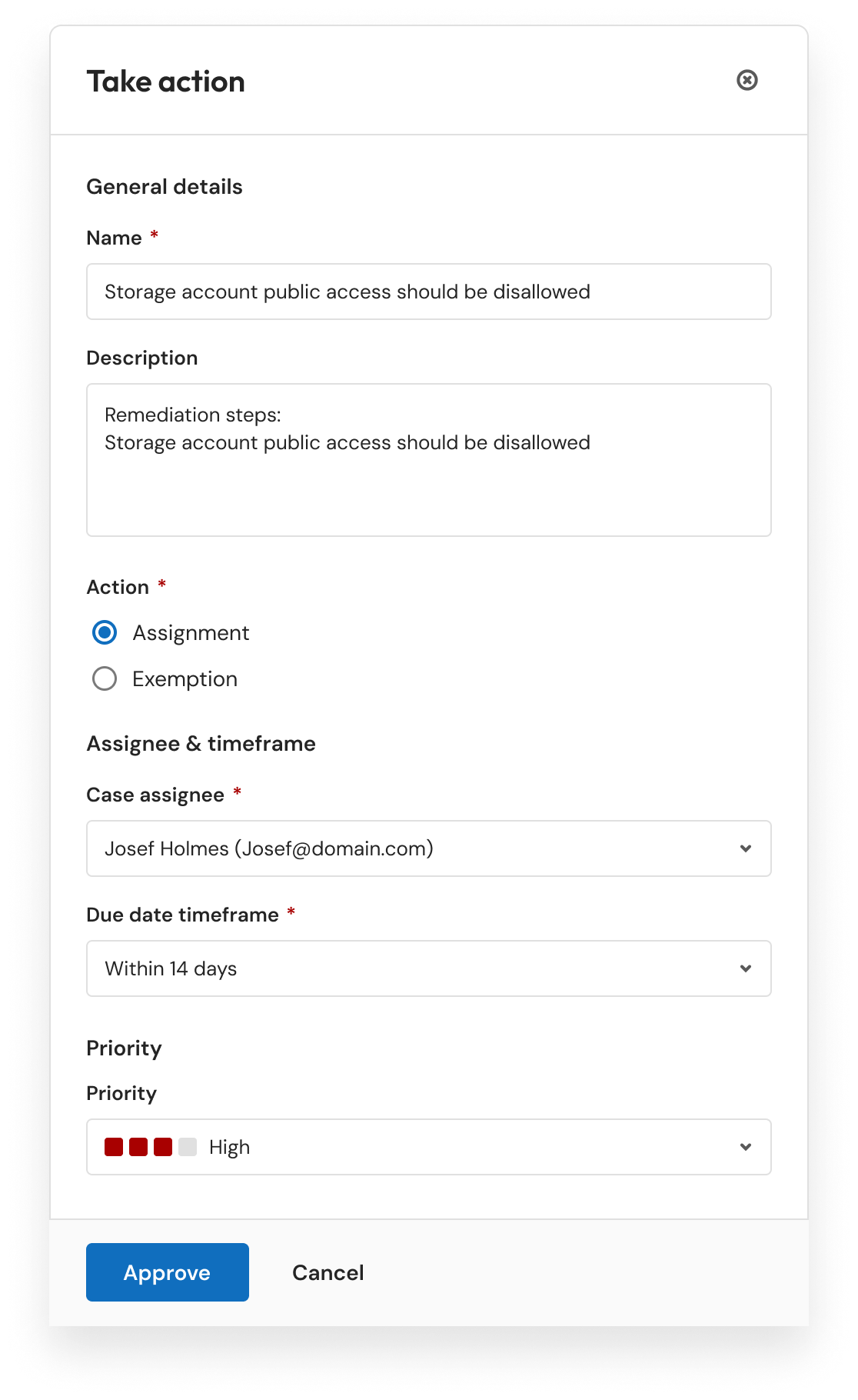
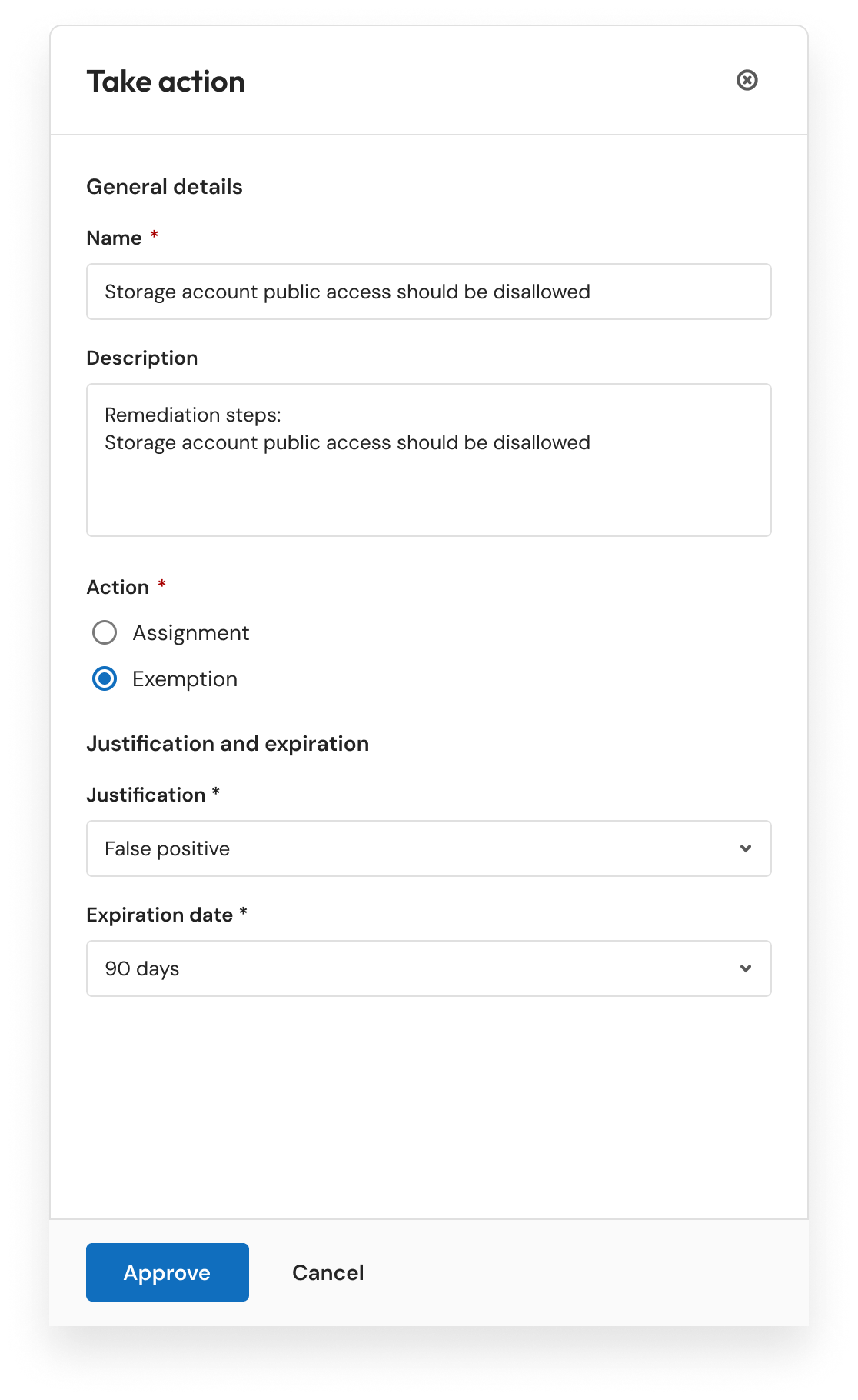
As seen in the top-left part of the diagram above, two of three atomic elements were related to automation and were not applicable to the manual workflows. This introduced unnecessary complexity into flows targeting personas for whom those elements were irrelevant. The solution removed all automation-related elements and unified the assignment and exemption flows under a single simplified experience.
Assignment
Exemption
One-page side drawer integrating both assignment and exemption under the same flow
All automation-related elements removed, significantly simplifying the experience
Better support for high-frequency usage and immediate action
The flow is triggered from the recommendations view
Automatic flows
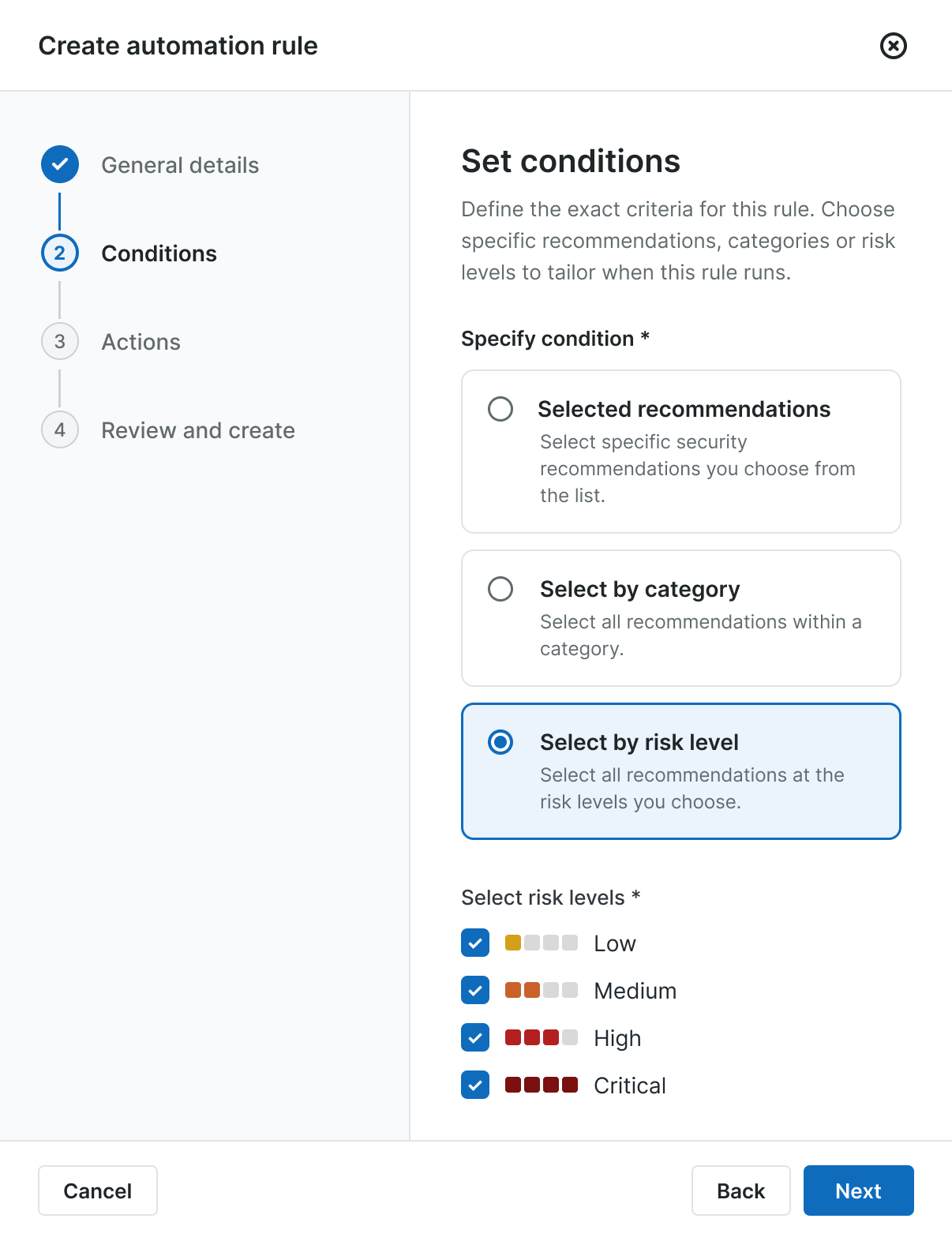
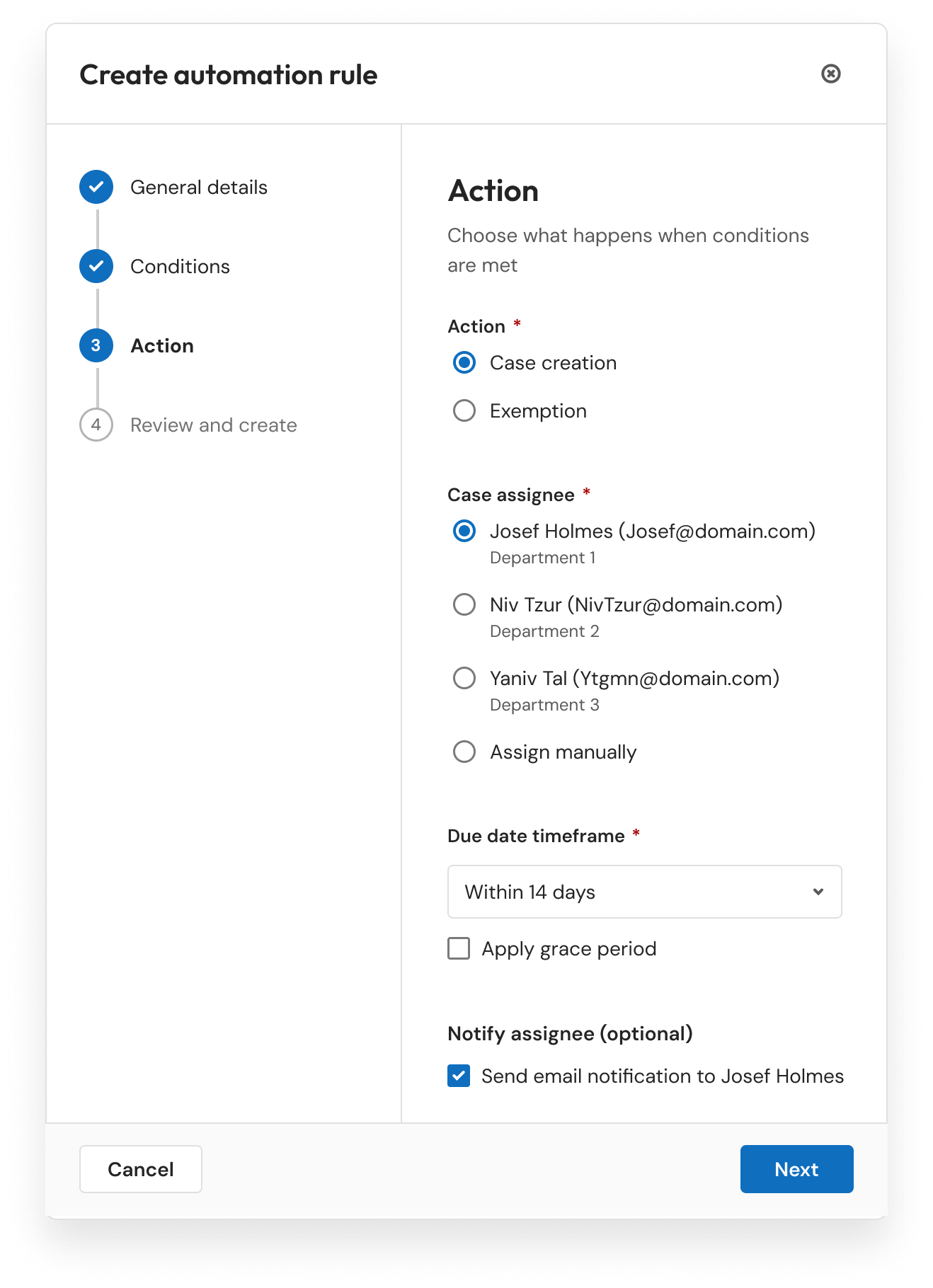
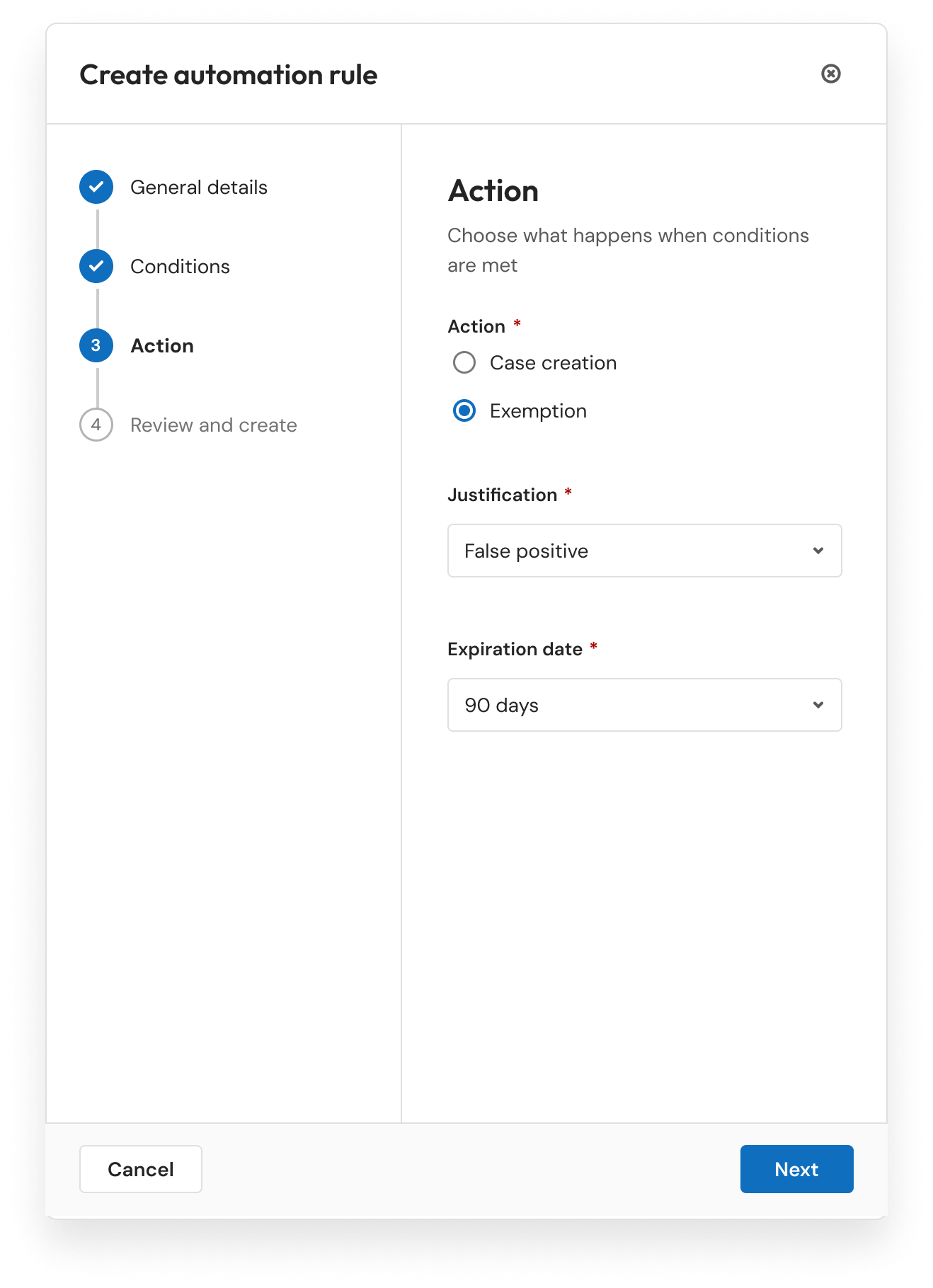
Both automation flows were unified into a consistent experience triggered from the same Automation section and designed for the relevant persona.
Assignment
Exemption
Both flows originate from the same automations view
Both flows are constructed from the same common elements: conditions and actions
The flows are identical and diverge only at the final action step
Validation
Testing the redesigned model
I ran a between-subjects usability study with 10 participants. Five participants tested the existing experience, while five tested the redesigned experience.
Each participant completed four tasks covering the core flows: manual remediation, manual exemption, automated remediation, and automated exemption. I evaluated each experience using task completion rates and Single Ease Question (SEQ) scores.
Flow
Before completion
After completion
Before SEQ
After SEQ
Manual remediation
60%
80%
3.6
6.2
Manual exemption
40%
80%
2.8
5.6
Automated remediation
60%
100%
3.4
6.0
Automated exemption
60%
80%
3.0
5.8
Overall
55%
85%
3.2
5.9
Across the four tasks, the overall completion rate increased from 55% in the existing experience to 85% in the redesign. The average SEQ score improved from 3.2 to 5.9 out of 7.
With five participants in each condition, the results provided directional evidence that organizing the experience around user intent made the available actions easier to understand and helped participants complete both remediation and exemption tasks more consistently.